
June 25th, 2026
Claude vs ChatGPT vs Gemini for Property Managers
Property Management

Feature releases
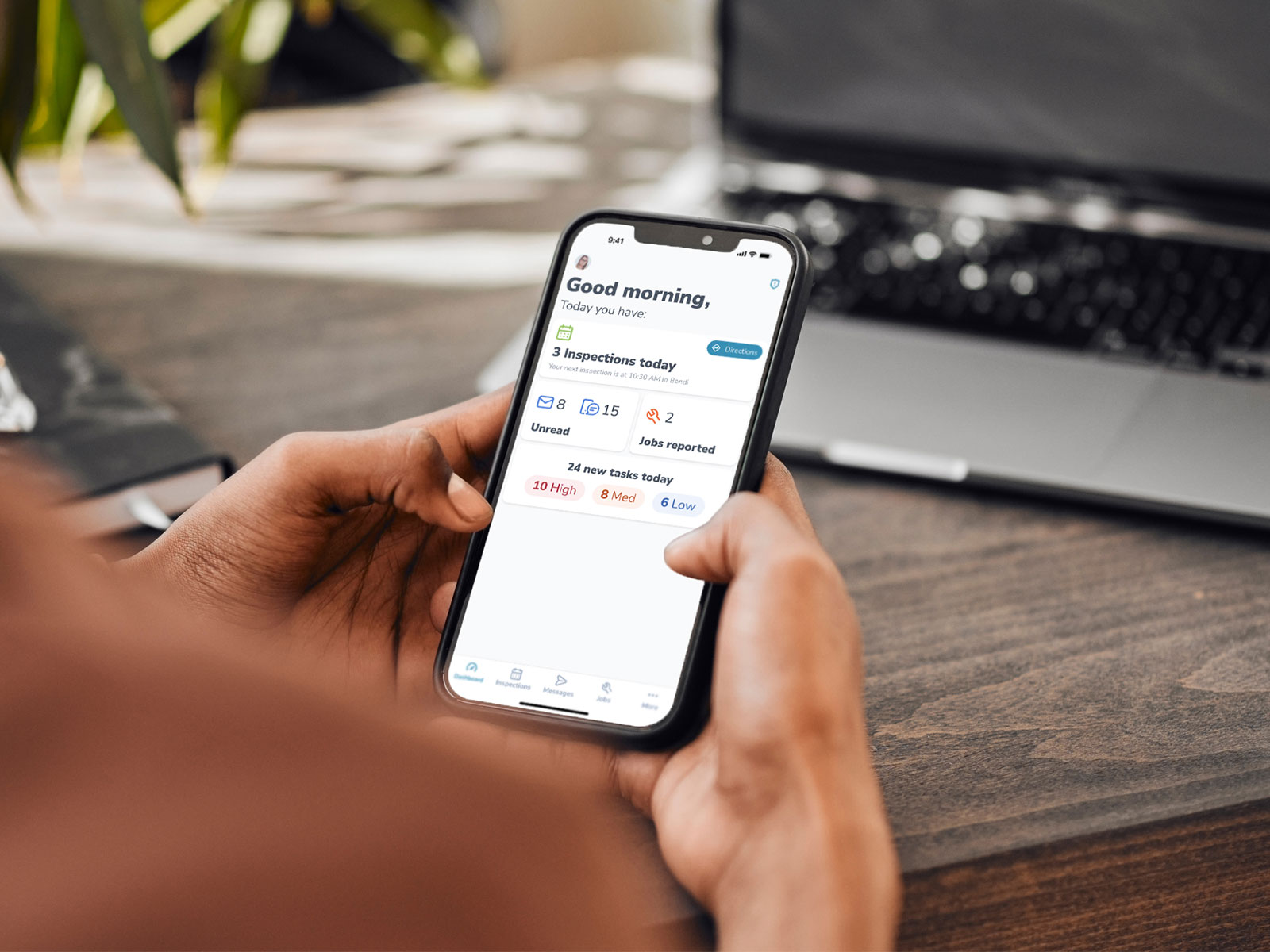

You’re heading to an inspection, a job needs attention and a tenant is calling. Instead of waiting until you’re back at your desk, you can now handle more of it from your phone.
Introducing the new Manage PM Mobile app, built from scratch to give you a faster, simpler way to manage their portfolios on the go.
We’ve also added new tools and enhanced existing ones to make everyday property management easier when you’re out and about.
The new Manage PM Mobile app is built for speed, reliability and everyday use in the field.
Navigation is now more intuitive, so you can get where you need to go without digging through menus. The fresh design makes information easier to find, while improved performance helps the app run smoothly from the moment you open it.
The new app comes with all the features you rely on every day, including Inspections, Jobs, Tasks, Chat, as well as property and contact management.
The new Dashboard gives you a clearer view of what’s happening across your portfolio.
Newly created and assigned items are surfaced as soon as you open the app, so you can quickly see what’s new and what needs action. As the day goes on, you can keep checking the Dashboard to stay across the latest activity without having to search through your portfolio.
Taking photos is a big part of many inspections, so waiting for them to upload shouldn’t slow you down.
With background photo uploading enabled, your inspection photos can continue uploading while the app is running in the background. That means you can move on to your next task instead of sitting around waiting for a progress bar to finish. Background uploading also helps reduce the risk of missing photos if an upload is interrupted.
Don’t want photo uploads to eat up your mobile data when you’re out and about? You can switch background uploads on or off, giving you control over how and when your photos upload.
The new app also gives you more control over how it looks with colour mode switching.
Prefer a darker interface that’s easier on the eyes? You can now switch to dark mode for a more comfortable experience. Or flip back to light mode if you want a brighter visual experience. It’s your choice.
The Jobs experience has been uplifted in the new app and now matches the Jobs experience in the web app.
That means you can manage jobs consistently whether you’re at your desk or out in the field. Check job details, action work and keep maintenance moving without having to wait until you’re back in the office.
You can now view occupant and pet details directly in the app when viewing a property or inspection task.
See a breakdown of leaseholders and additional occupants, including the total number of occupants and any additional details recorded about them. You can also see whether pets have been approved or rejected, along with details about each pet.
This is particularly useful when you’re heading into a routine inspection. Before you knock on the door, you can check who should be living at the property, whether there are pets and what you need to know before you arrive.
There’s no need to call the office mid-inspection to find out who’s living there or whether a pet has been approved. The information you need is already in your pocket.
When a known contact calls your device, Call Identification can show you their name and role before you pick up.
If their number is in your Manage PM database, you’ll see whether they’re an owner, tenant, supplier, seller or buyer. That gives you useful context before you answer, so you have a better idea of who you’re speaking with and what the call might be about.
The new Manage PM Mobile app is available on both iOS and Android, with full feature parity across the two platforms.
That means you get the same experience regardless of which device you use. There’s no need to switch to another app for inspections or manage different mobile experiences depending on your device.
The new Manage PM Mobile app gives you a faster, simpler way to stay on top of your portfolio when you’re away from your desk, with the tools you need to keep things moving throughout the day.
It’s available to all PropertyMe customers on Basic, Standard, Advanced and Premier plans across Australia and New Zealand.
Head to the App Store or Google Play on your device to download Manage PM Mobile and start exploring the new experience today.
Not using PropertyMe yet? Book a demo today to see how top agencies are enabling Property Managers to do more on the go.

