


Getting tenants to set up MePay usually means a lot of reminding. You send the introduction email, check who’s signed up then follow up with the ones who haven’t. It’s easy for it to slip when your week gets busy.
MePay Automation, one of our highly requested features, now handles the follow-ups for you. It’s available to Australian customers on all tiers of MePay: MePay Direct Debit, MePay Fast and Trustless.
Here’s what it does and how to get set up.
Stop chasing tenants to set up or pay with MePay
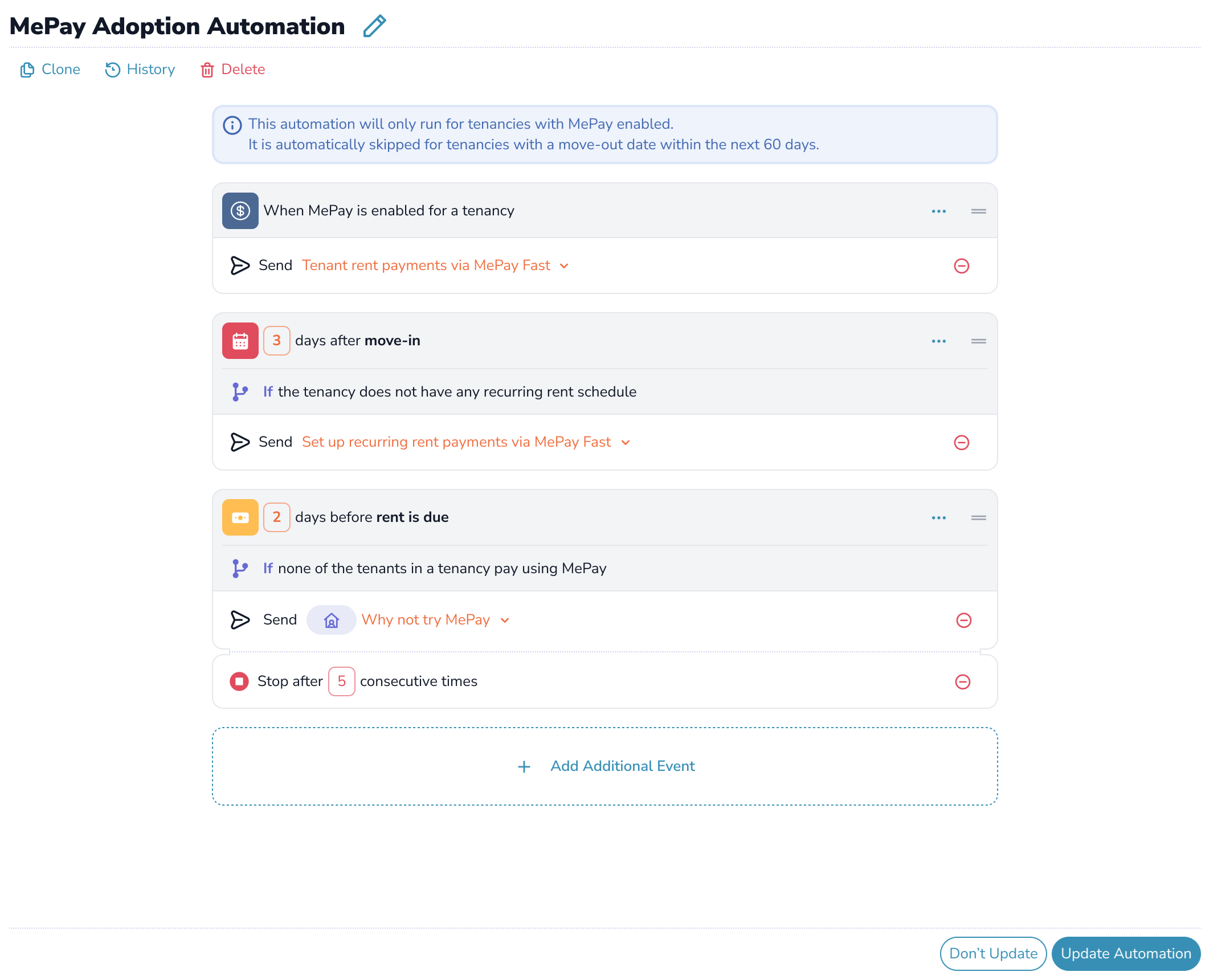
No more remembering to send the MePay introduction email. MePay Automation follows up with tenants for you.
It comes with a ready-made template, and the default rules are matched to your MePay plan. Switch them on and you’re done.
Want something different? You can build your own rules. Each rule starts with one of three triggers:
- When MePay is enabled for a tenancy
- A set number of days after move-in
- A set number of days before rent is due
You can also stop a rule after it’s been sent a set number of times in a row, so tenants don’t keep getting the same reminder.
Choose who gets MePay emails and see where things stand
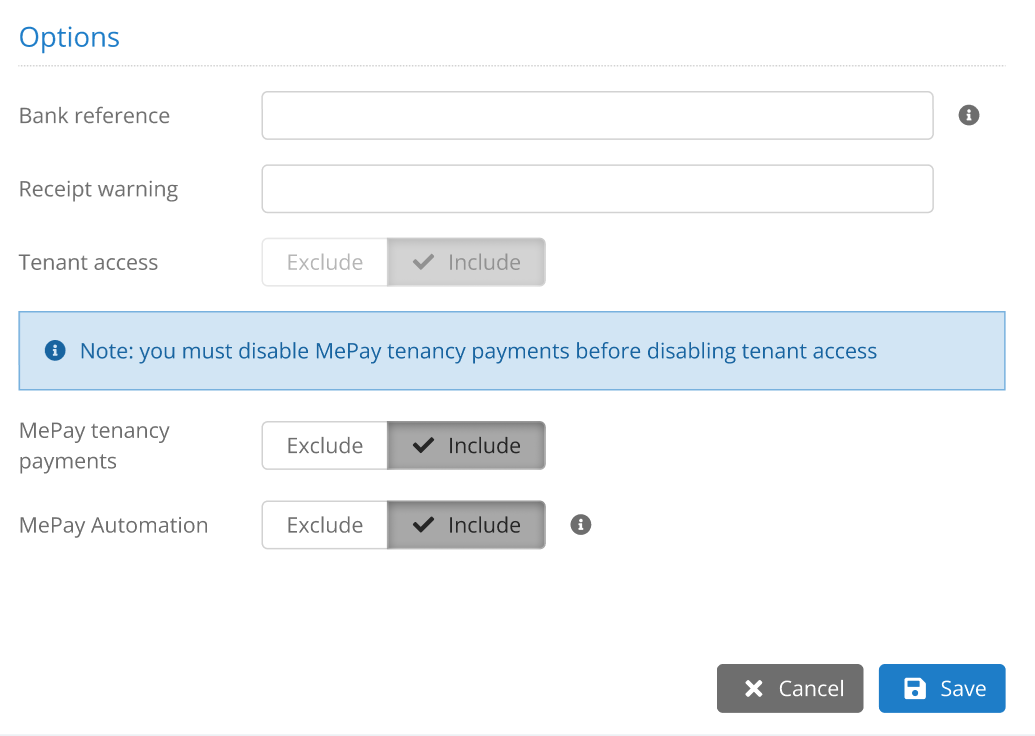
You decide which tenancies are included in automation. Add or leave out individual tenancies whenever you need to.
Tenancies with a move-out date in the next 60 days are left out automatically. That way, tenants who are leaving won’t get a follow-up that doesn’t apply to them.
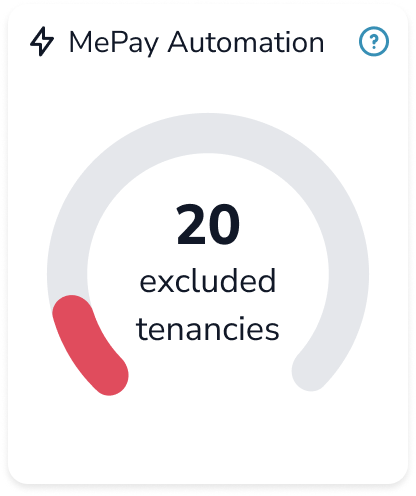
It’s also easy to see what’s happening:
- The Rentals grid has a new MePay Automation column and filter, so you can check a tenancy’s status quickly.
- Dashboard widgets show how many tenants have taken up MePay and which tenancies aren’t included.
You stay in control of your rules too. You can update, copy or delete any rule and see its history.
Make it easier for more tenants to get set up on MePay
Tenants need Client Access to set up MePay. If it isn’t turned on, they can’t sign up, no matter how many reminders they get.
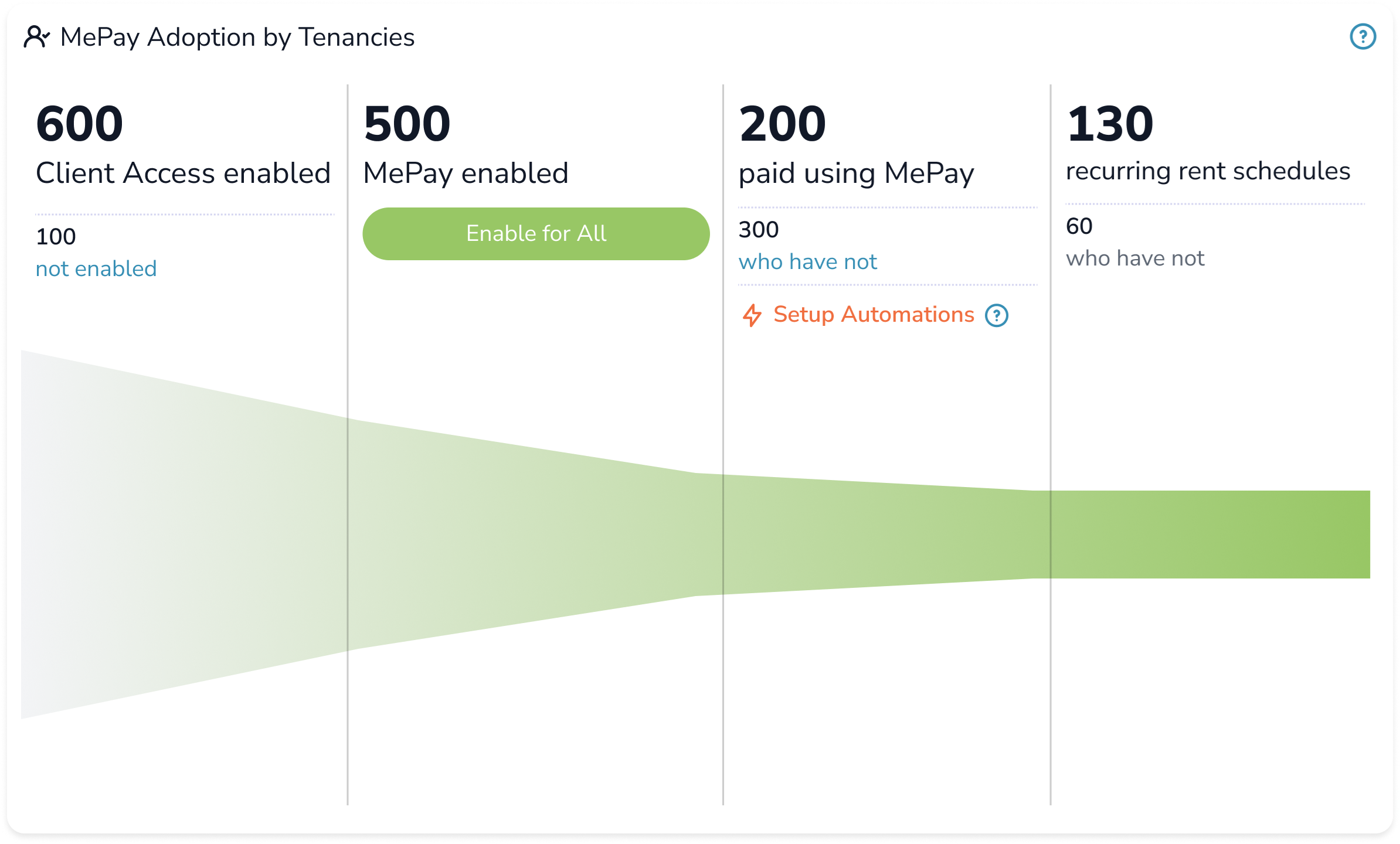
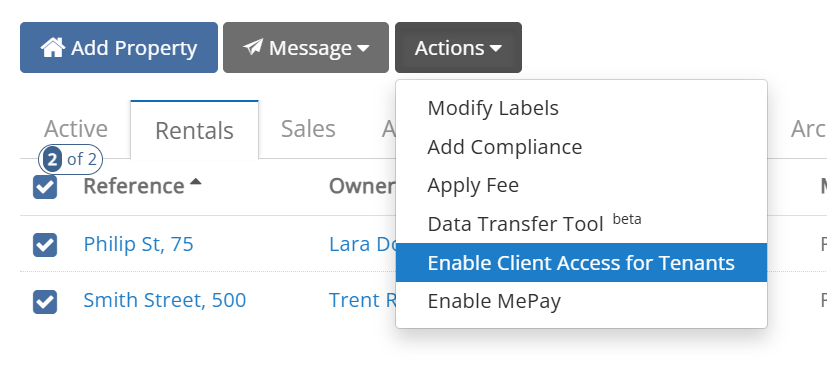
The MePay Adoption dashboard widget now splits your active tenancies into two groups: those with Client Access turned on and those without. You can spot who’s missing out and turn on Client Access for them in bulk.
Keep your automations when you upgrade to MePay Fast
Upgrading to MePay Fast? Your custom automations come with you, so you don’t need to set them up all over again.
The ready-made rules are also updated to suit MePay Fast, so there’s nothing to rebuild. Nothing goes live until you’ve checked your rules and switched them on.
Ready to get started with MePay Automation?
MePay Automation is ready to use now. Turn on the default rules to start following up with tenants straight away, or build your own to suit how your team works.
To watch our team walk through how MePay Automation works, register here.
Not using MePay yet? Book a demo to see how it can transform payments for your agency.
Disclaimer: This content relates to the MePay payment product and has been prepared by MePay Holdings Pty Ltd (ABN 55 638 819 575 / AFSL no 528836) (MePay Holdings). Any financial services provided in relation to MePay (including the issue of MePay) are provided by MePay Holdings. To the extent any information provided to you in this content constitutes financial product advice, such advice is general advice only and has been prepared without taking into consideration your objectives, financial situation or needs. You should consider your needs prior to acting on any advice or making any financial decisions and seek independent financial advice regarding your own personal circumstances. Cooling-off rights do not apply to MePay. A product disclosure statement (PDS) has been issued by MePay Holdings for MePay and is available here. The PDS explains the features, risks and benefits of the service and you should consider it in deciding whether to use the product.
MePay is only available to Australian real estate agents.