

March 17th, 2026
A peek into the first quarter of 2026 at PropertyMe
PropertyMe

PropertyMe


Over the last few months of lockdown, we’ve been hard at work creating our most exciting feature release ever, Automation Studio. With this game-changing new feature, you can automate your work like magic and save hours each day.
Think of some of the most time consuming, repetitive and mundane tasks you face as a Property Manager.
Now imagine you could automate these mundane aspects of your job. Think of the hundreds of hours and headaches you’d save. With Automation Studio, you’ll be able to automate a lot of these tasks, so you have more time to focus on what matters most to you.
The intuitive interface is super easy to navigate meaning you can create Automations in just a few minutes. Each Automation can be tailored to your specific needs and you only have to set this up once.
We’ve put together some tips and tricks to help you get the most out of this new feature. Read on to uncover how you can start saving hours each day!
Our top 5 tips:
Without further ado, let’s step inside Automation Studio and see what’s possible with our top tips.
Entering Automation Studio, the first thing you’ll see is Arrears Automation. For the first release in the Studio, we’ve started with a bang with Arrears Automation. With this handy feature, you can automate the most uninteresting parts of your arrears process.
Simply put, Arrears Automation sends out gentle, and not so gentle, arrears reminders to all relevant tenants at the press of a button.
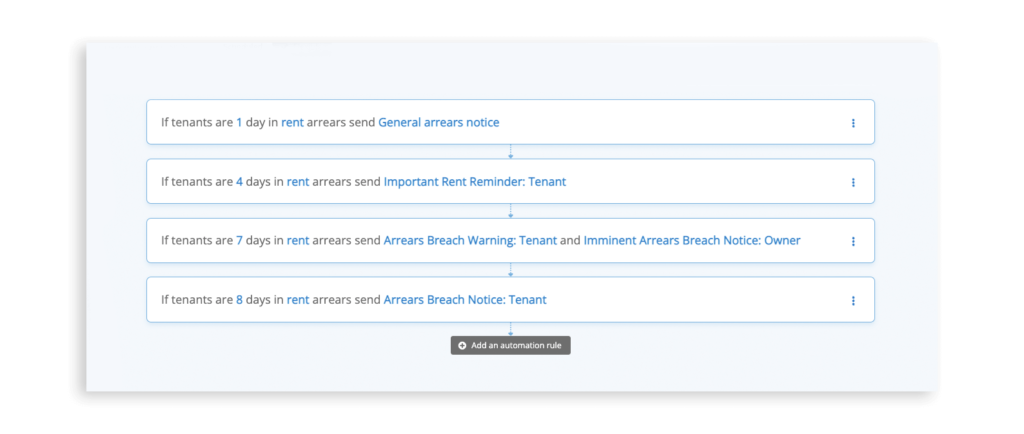
Our automation engine will send these arrears messages automatically using the day, trigger, and message template you set.
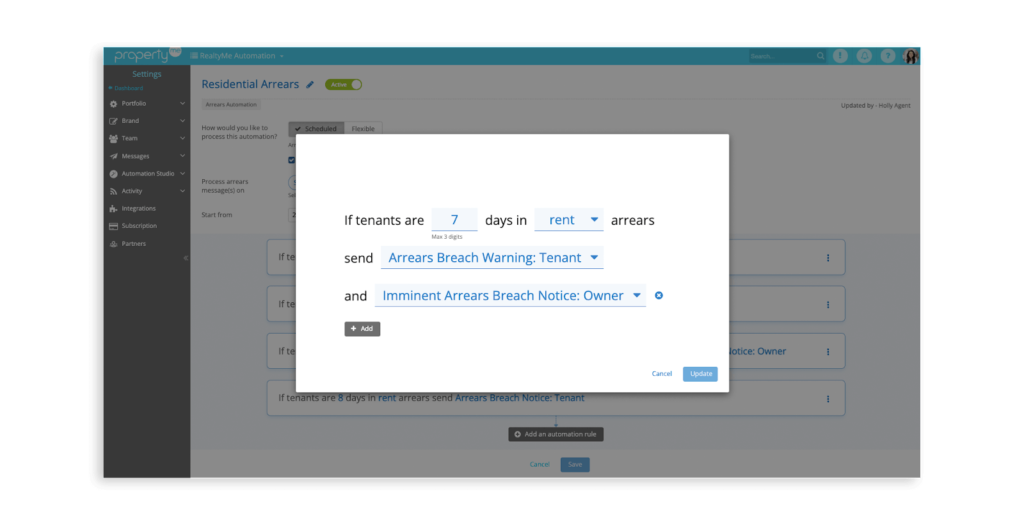
We’ve put together an in-depth guide on creating your Automation which you can access in our knowledge base. As an overview, our key guidelines are:
Read our full guide on how to create your Automation or watch the video tutorial.
Which do you prefer, Ferrero Rocher or pistachio flavoured gelato?
Similarly to your favourite gelato store, Automation Studio has been designed to cater to a variety of different preferences and tastes — because every business has different needs and wants. This is where the Scheduled vs Flexible options come in.
With Arrears Automation, you can decide whether you’d like your Automations to be Scheduled or Flexible.
Scheduled
If you select Scheduled, your Automations will run automatically on the day(s) and time(s) you set. As shown below, you can select any day you like and this will run automatically each week, right on Schedule! This option is perfect for extra busy Property Managers and is completely automated.
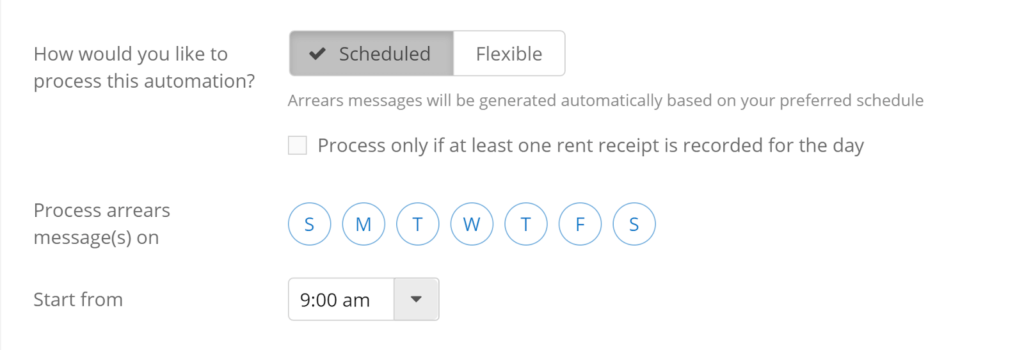
Pro tip: You can add a receipting rule to ensure arrears messages are only sent on days where you have processed a receipt.
Whether you’d like to send arrears messages every day of the week, every weekday or only on certain days, you can. Simply select which days you prefer. Automations can be processed between 9am and 5pm.

Pro tip: if you need to run the Automation earlier than your set time you can simply tick the Automation and select ‘Process’.
Flexible
If you select Flexible, your Automations will only run whenever you press the magic ‘Process’ button. This option is perfect for those who are just starting out and would like some extra control over when the Automation is run.

For more information, check out our guide on Flexible and Scheduled Automations.
If you are a Forms Live user you can integrate the forms into your arrears Schedule.
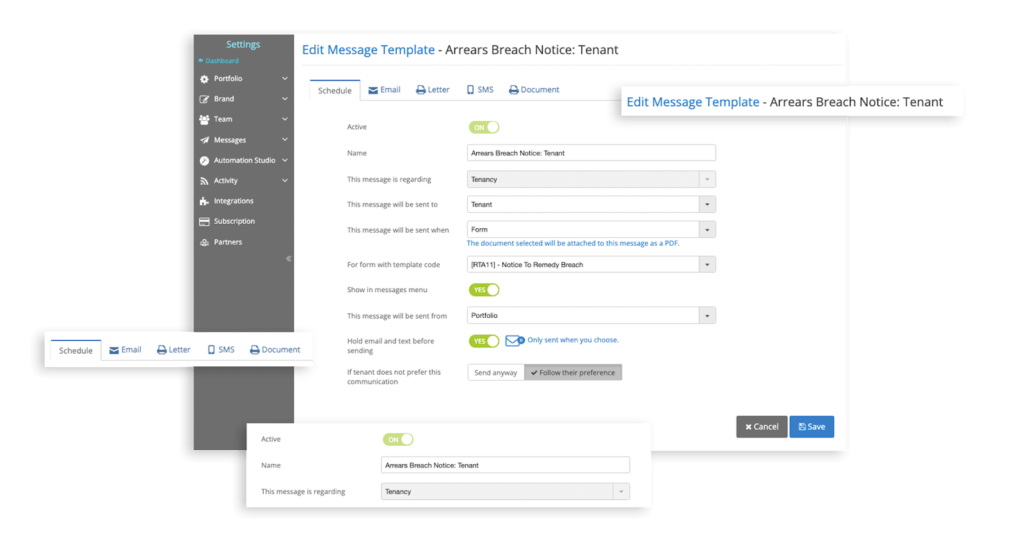
We’ve put together a comprehensive set of guides and FAQs to help you get started with Automation Studio. These can all be accessed inside the knowledge base. Access the guides to learn more about how to create your own Arrears Automation, Flexible or Scheduled options,
Not sure what to include in your arrears messages? We’ve put together a series of arrears message templates. We’ve also put together a guide on how to exclude a tenant from the Arrears Automation.
Questions? Check out our Arrears Automation FAQ.
See Automation Studio in action below with our latest Lunch & Learn
Our final tip: dive right in and give it a spin! Anything new may seem daunting at first but trust us, it’s easier than it looks and you’ll be so happy you tried it.
By becoming familiar with Arrears Automation right away, you’ll be an automation wizard by the time the next two Automations, Jobs and Inspections, come around!
Now that we’ve answered a few of your questions, we’ve got a question for you: how will you be spending your extra time once you’ve automated your tasks?
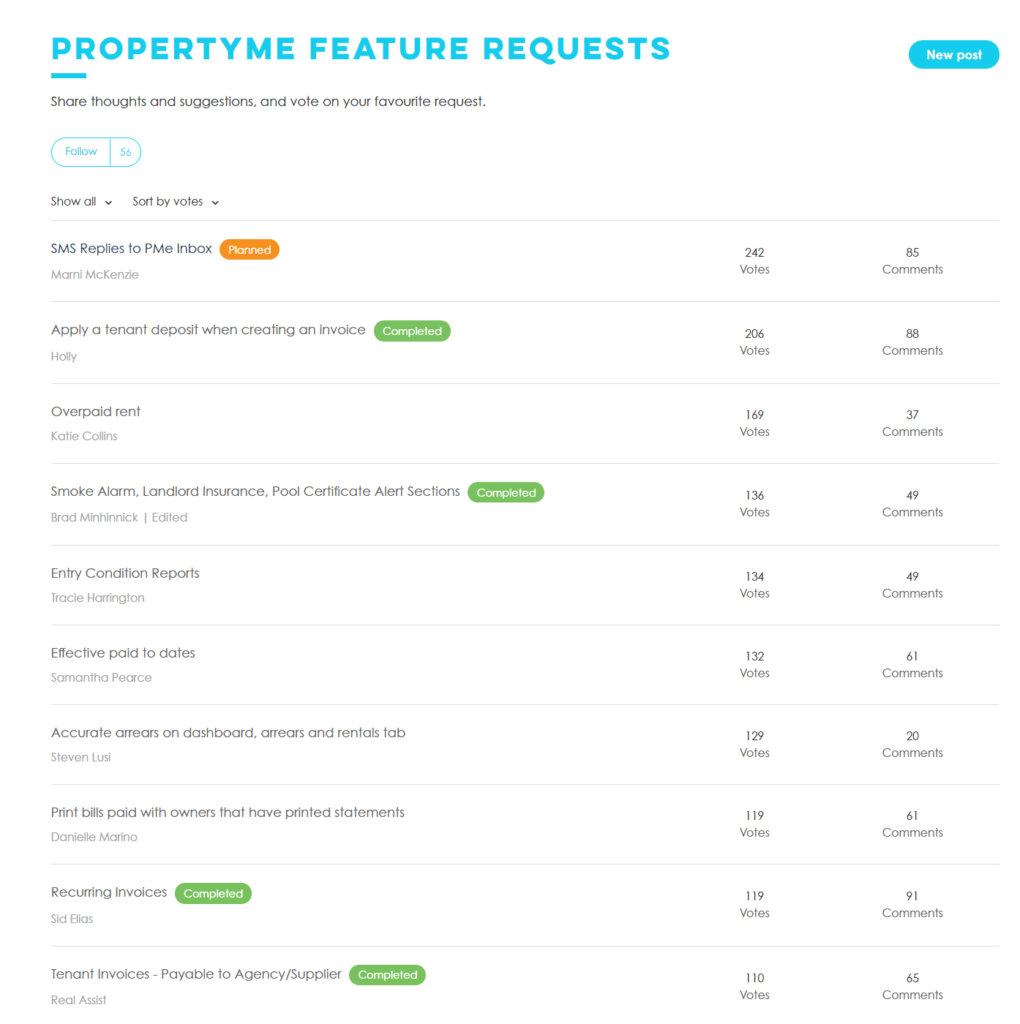
Did you know we have a requests page that we continually monitor? We’re always looking for new features to add to PropertyMe. Our feature requests page is one of the first places we look for ideas.
Have your say. Share thoughts and suggestions, and vote on your favourite request here today.
Thanks for reading this blog on our new Automation Studio feature! Let us know your thoughts by emailing us at [email protected].
